
Dr. B.R. Ambedkar University, Srikakulam, Andhra Pradesh, has published the UG 2nd Semester Regular and Supplementary Examination Results through its online examination portal. Students who appeared for the undergraduate second-semester examinations can visit the result portal and check their results online.
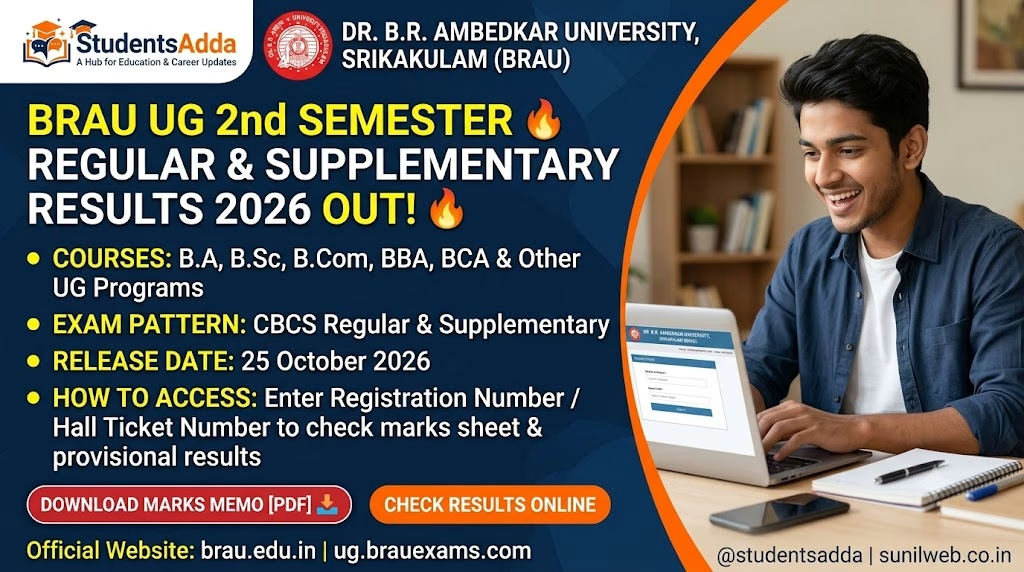
Candidates should keep their registration number and other required examination details ready before opening the result page. After accessing the portal, select the relevant semester and enter the requested information to view the result.
Students are advised to verify their name, registration number, course, semester and marks shown on the result page. They should save or print a copy of the result for future reference.
Dr. B.R. Ambedkar University Results 2026: Overview
| Particulars | Details |
|---|---|
| University Name | Dr. B.R. Ambedkar University, Srikakulam |
| State | Andhra Pradesh |
| Examination | UG 2nd Semester |
| Result Type | Regular and Supplementary |
| Result Status | Published on the university notifications page |
| Courses | Undergraduate programmes |
| Result Mode | Online |
| Required Details | Registration number and details requested by the portal |
| Official University Website | brau.edu.in |
| Result Portal | ug.brauexams.com |
UG 2nd Semester Regular and Supplementary Results
The university’s examination portal provides access to undergraduate examination results. Students who appeared for the regular or supplementary examinations can use the relevant result link to check their individual results.
Regular examination results are relevant to students appearing for the semester examinations as part of their normal academic progression. Supplementary results are relevant to students who appeared for the applicable supplementary examinations.
Students should select the correct result option and semester before submitting their details. The result displayed online should be checked carefully, and any discrepancy should be brought to the attention of the university or the relevant college examination section.
How to Check Dr. B.R. Ambedkar University UG 2nd Semester Results 2026?
Follow these steps to check your result online:
- Visit the official result portal: https://ug.brauexams.com/Student_Results.aspx.
- Locate the result option for the UG 2nd Semester Regular and Supplementary Examinations.
- Enter your registration number or other details requested on the page.
- Select the relevant semester or examination option, if prompted.
- Submit the details to view your result.
- Check your name, registration number, course and marks carefully.
- Download or print the result page for future reference, if the facility is available.
Details to Check on the Result Page
After opening the result, students should verify the details displayed on the portal. These may include:
- Name of the candidate
- Registration number
- Course or programme
- College name
- Semester
- Subject-wise marks or result status, where provided
If any information appears incorrect or the result does not load, students should contact their college or the university’s examination section for assistance.
What Should Students Do After Checking the Result?
Students should save a copy of the online result for their records. If a provisional result is displayed, they should follow the university’s instructions regarding the original marks memo or official marksheet.
Candidates who are not satisfied with their marks should check for any official notification regarding revaluation, recounting or other permitted examination-related procedures. The applicable process and deadlines should be confirmed through the university’s official website or college.
Frequently Asked Questions (FAQs)
1. Has Dr. B.R. Ambedkar University UG 2nd Semester Result been published?
The university’s notifications page lists the UG 2nd Semester Regular and Supplementary Results. Students can use the examination portal to check their individual results.
2. Where can I check the UG 2nd Semester result?
Visit the official result portal: https://ug.brauexams.com/Student_Results.aspx.
3. Can supplementary candidates check their results online?
Yes. The result notification covers both regular and supplementary examinations. Candidates should select the applicable result option.
4. What details are required to check the result?
Keep your registration number ready and provide the information requested by the examination portal.
5. What should I do if my result is not displayed?
Check that you entered the correct details and selected the appropriate semester. If the problem continues, contact your college or the university examination section.
6. Can I use the online result for future reference?
Yes. Save or print the result page if the facility is available. Follow the university’s instructions for obtaining the official marks memo or marksheet.
Important Links
| UG 2nd Semester Regular & Supplementary Results | Check Result |
| Dr. B.R. Ambedkar University Official Website | Visit University Website |
| University Notifications | View Notifications |
| Latest Admission Updates | Explore Admissions |
| Latest Exam Results | Check Results |
| Admit Cards and Hall Tickets | Download Admit Cards |
| Latest Recruitment and Jobs | Explore Jobs |
| Exam Notifications and Answer Keys | View Exam Updates |
| Telegram Channel | Join Telegram Channel |